Plasmid Design
Use our Part Designer tool to easily add new parts to your organization’s DNA toolkit, and our Assembly Tool to design new Golden Gate assemblies using existing parts in your DNA toolkit.
Build Instructions
Genie provides detailed DNA build instructions as well as build progress to give you full transparency into the activities of your off-site cloning team.
Batch Ordering
Genie allows you to create a batch of plasmids and place an order for the batch that our team will fulfill. Our highest priority is turn-around time.
Collaboration
Genie allows all members of an organization to view and share their DNA toolkit, promoting collaboration, allowing discoverability, and facilitating project work.
Organization
Genie provides tools to aid in organization of plasmid and sequence information, including DNA feature annotation and projects.
Genie will take your cloning to the next level.
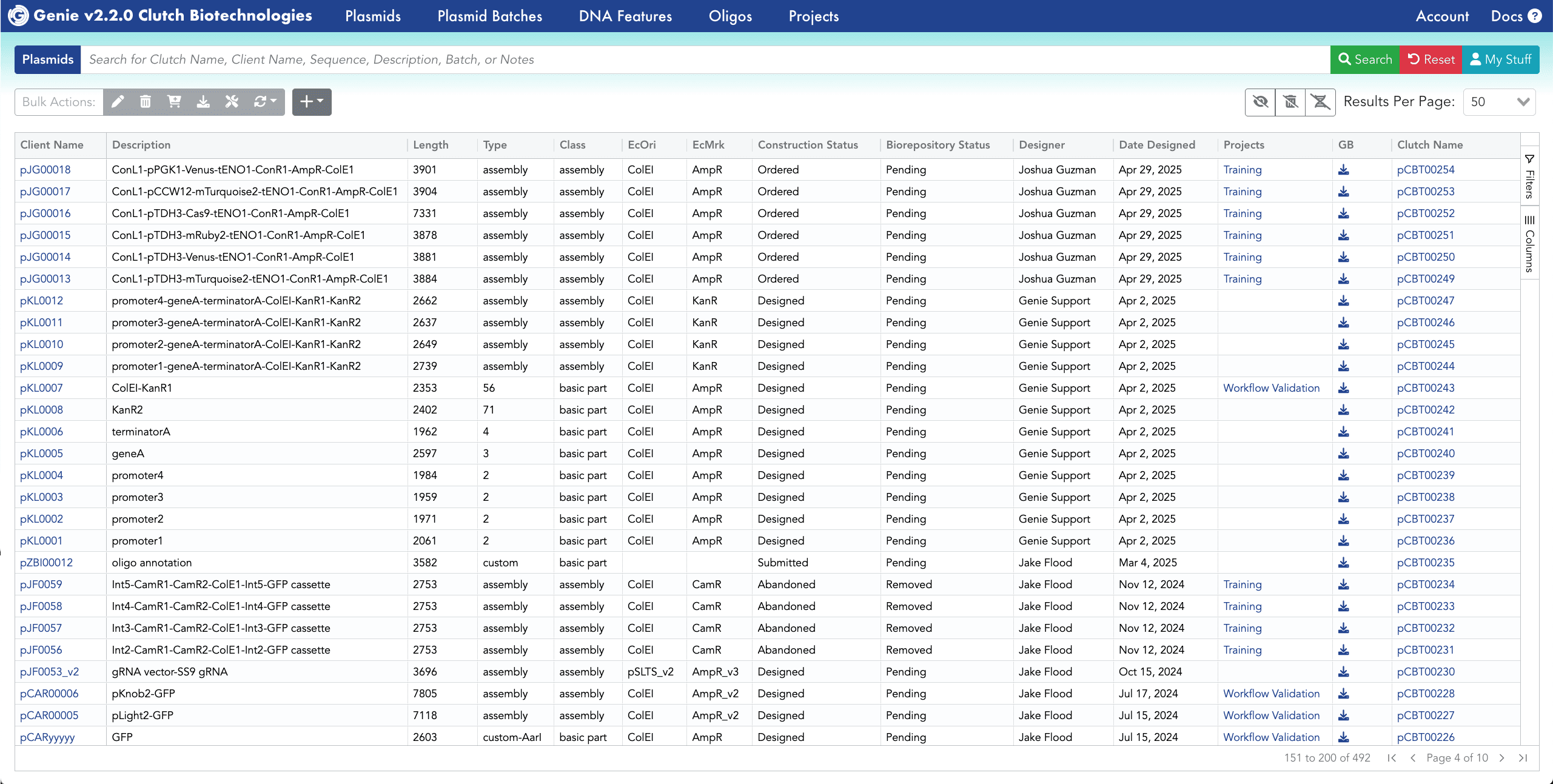
View all plasmids across your organization
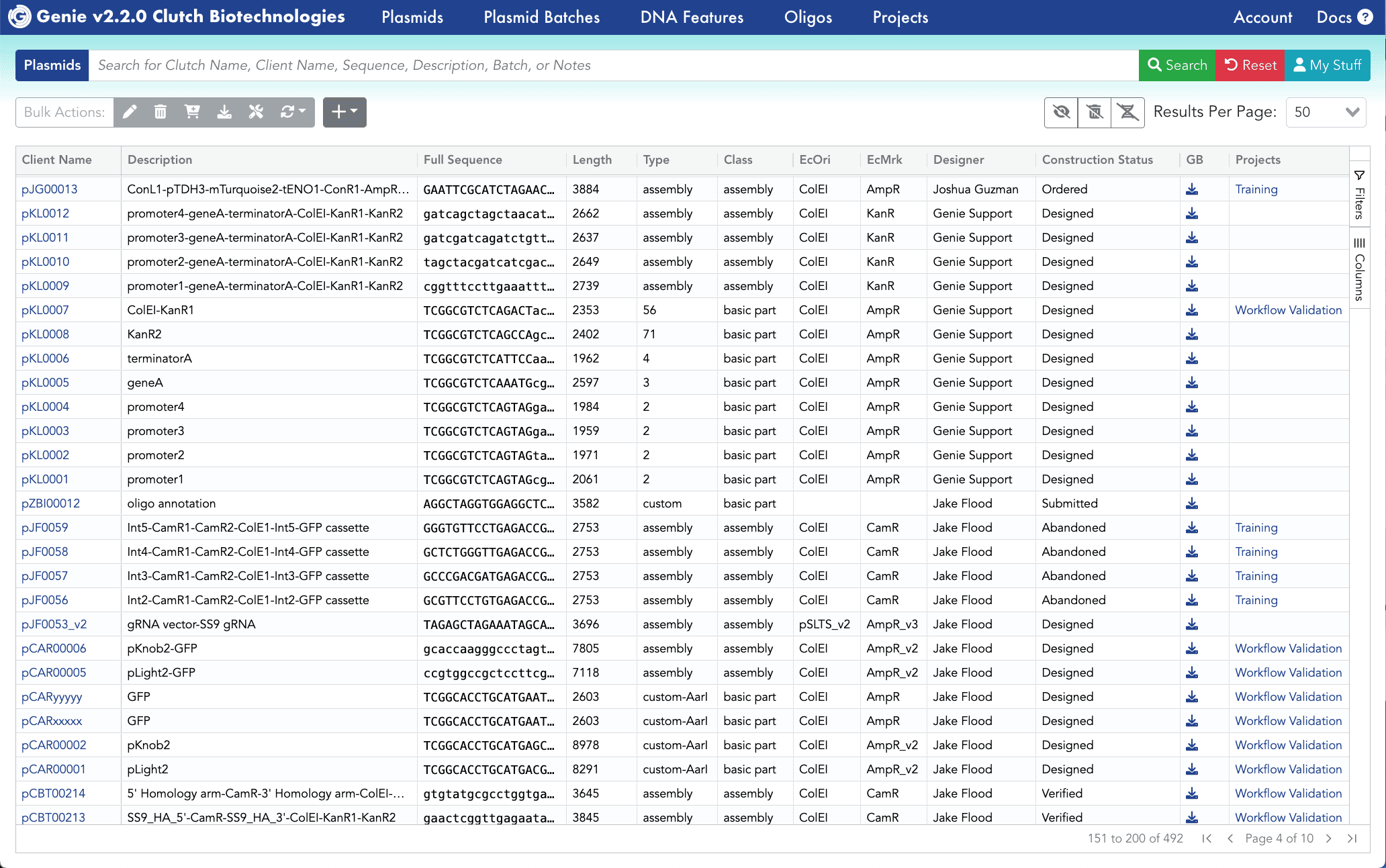
Facilitate collaboration and re-use across your team by having a shared repository of plasmids. Plasmid sequences can be downloaded as Genbank files, and files can be easily re-annotated with your custom DNA features.
Design new DNA toolkit parts
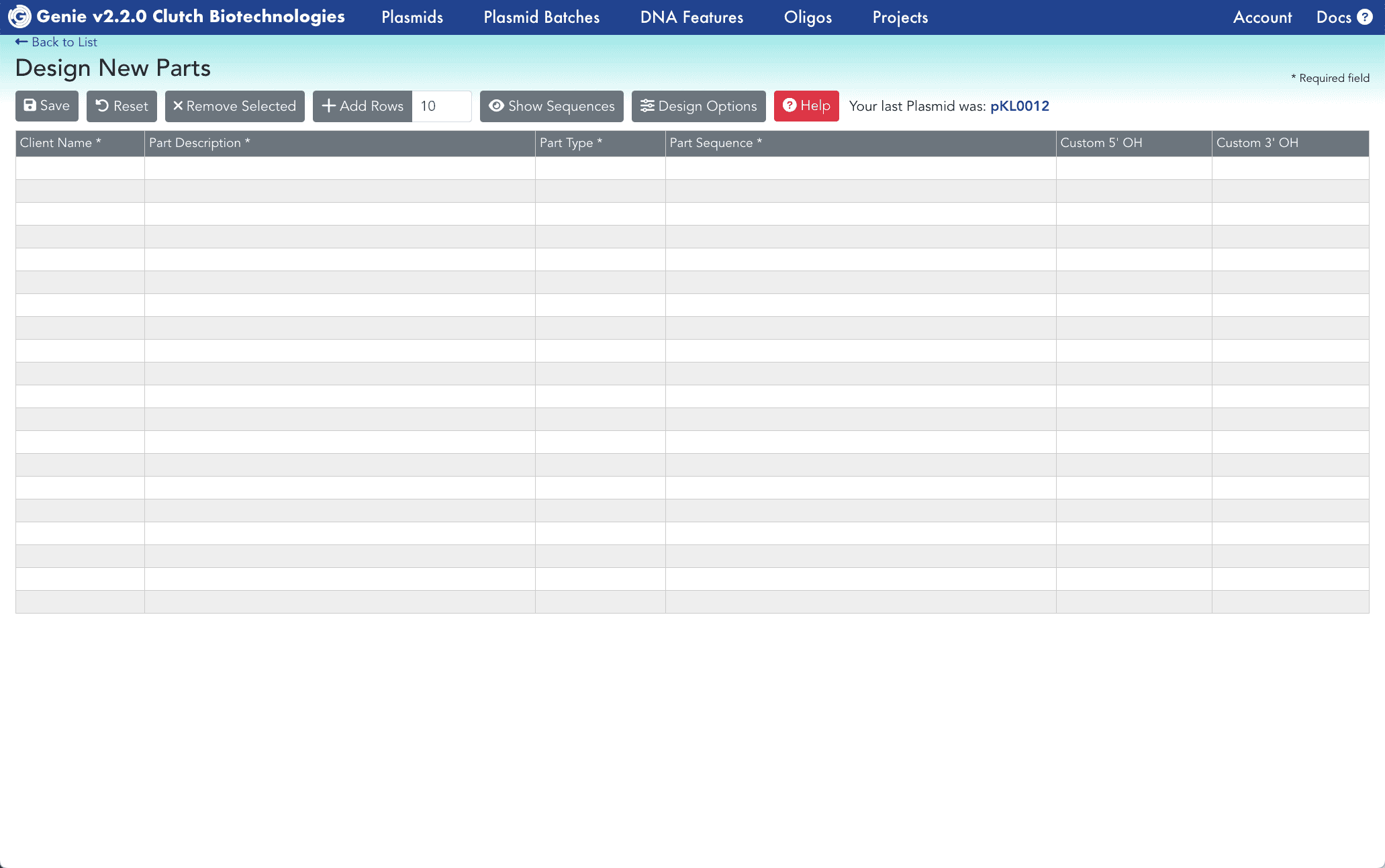
Our Create New Parts feature allows you to quickly add new parts to your DNA toolkit. It is built to accommodate high throughput entry of new parts.
Customize design options for new parts
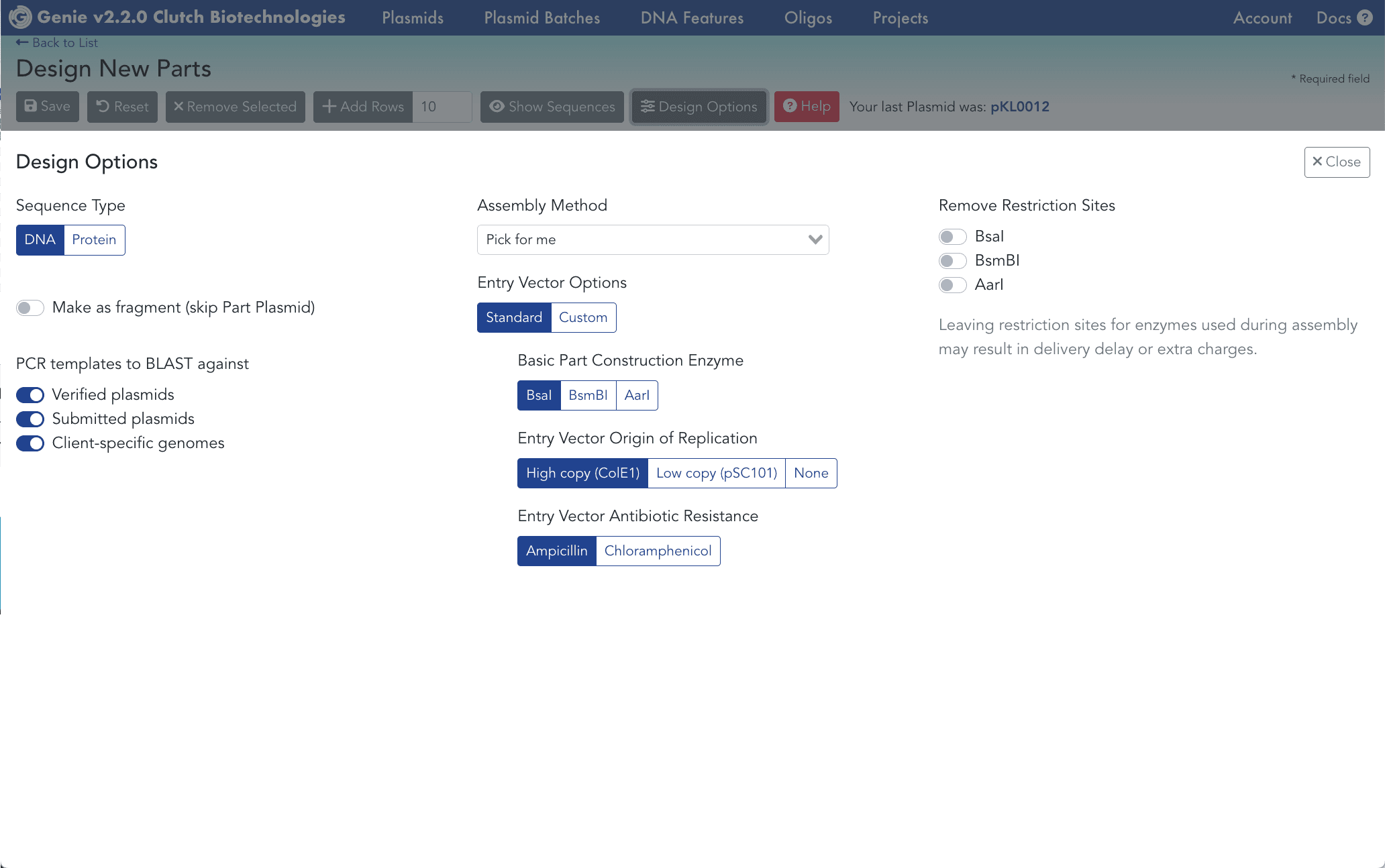
The Create New Parts feature is customizable, allowing you to select assembly method, restriction enzyme auto-removal, and PCR templates if available.
Design new assemblies from toolkit parts
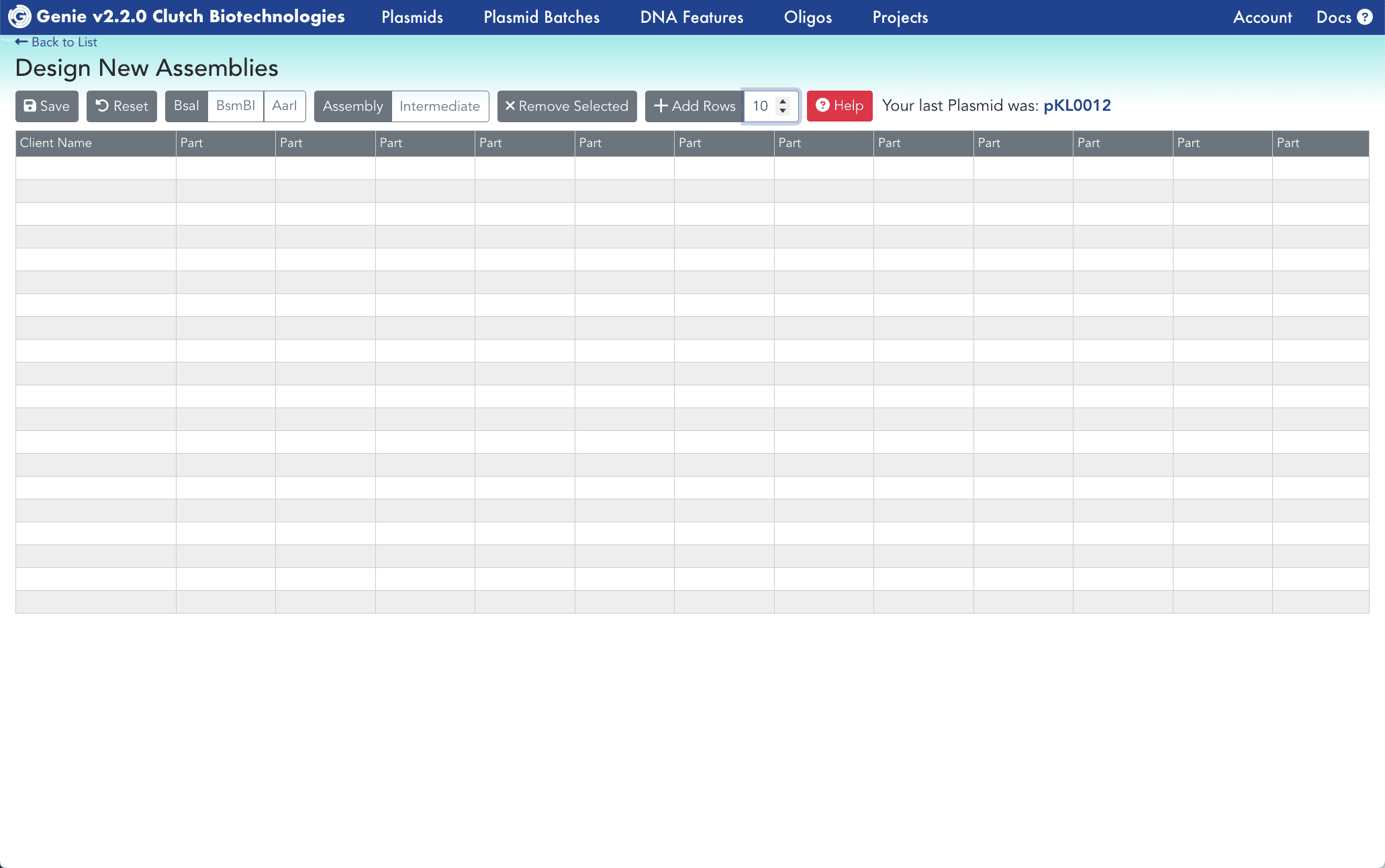
Our Create New Assemblies feature, also built to accommodate high throughput entry, allows you to select DNA parts to generate circular plasmids.
See plasmid build instructions
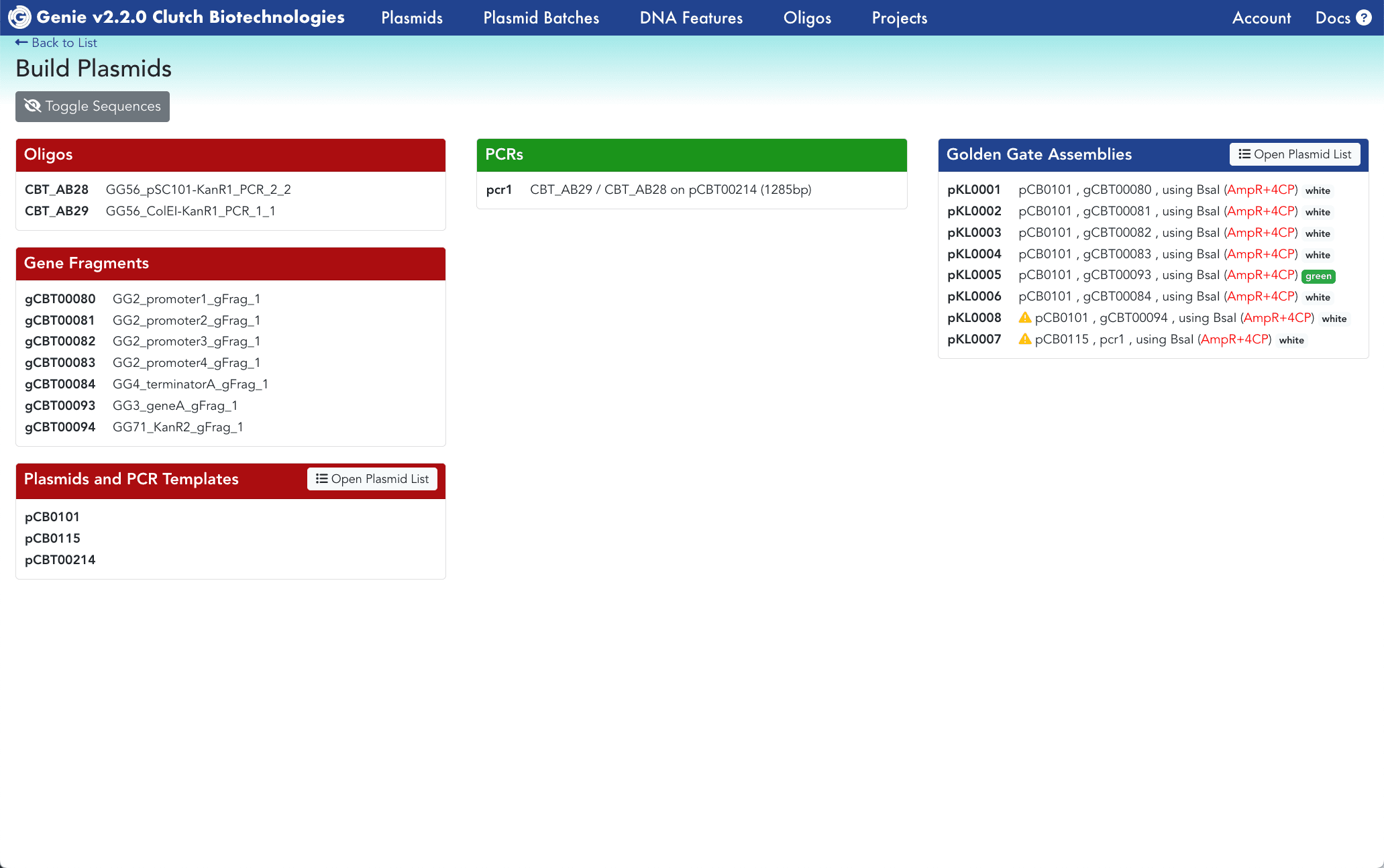
Build instructions can be loaded for a single plasmid or group of plasmids. See all the oligos, gene fragments and PCR templates required for the build.
Add new DNA features to annotate plasmids
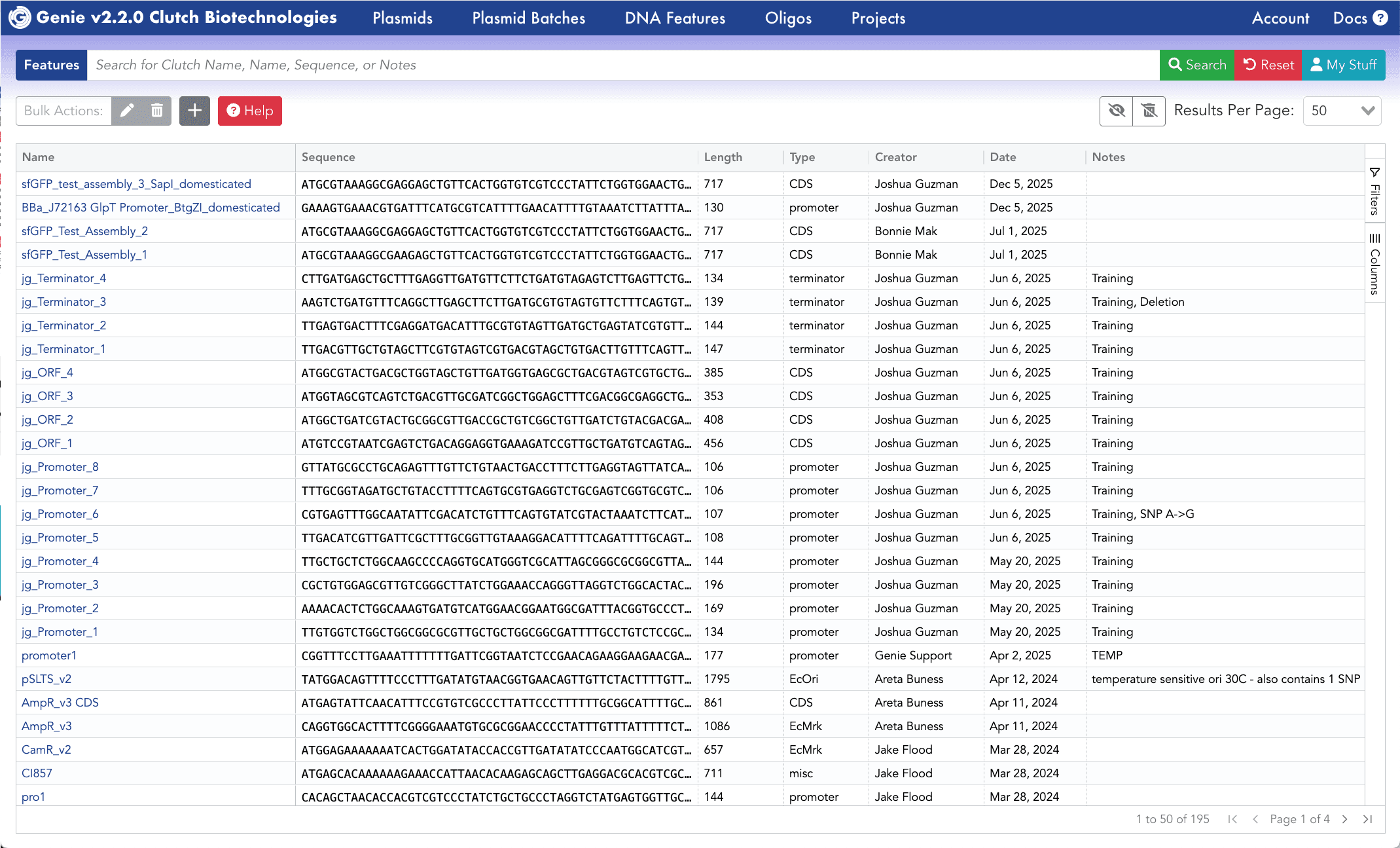
Add as many DNA features as needed and re-annotate your plasmids for Genbank file download. Plasmids can be batch re-annotated for convenience.
Create a plasmid batch to order and track
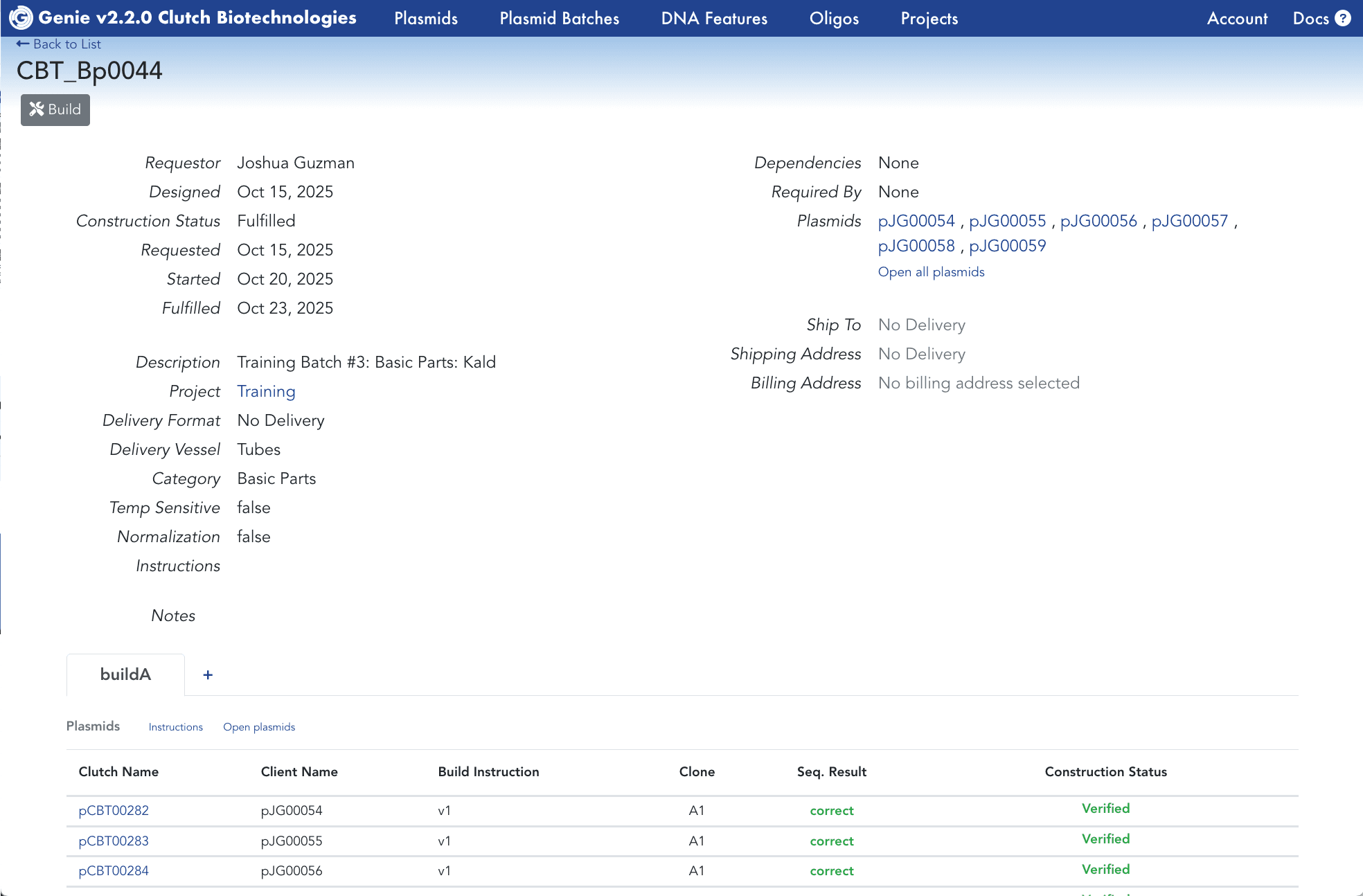
Once ready with your designs, create a group of plasmids to submit to ClutchBio for construction. After submission, visit this page to track the build progress.
Get a cost estimate
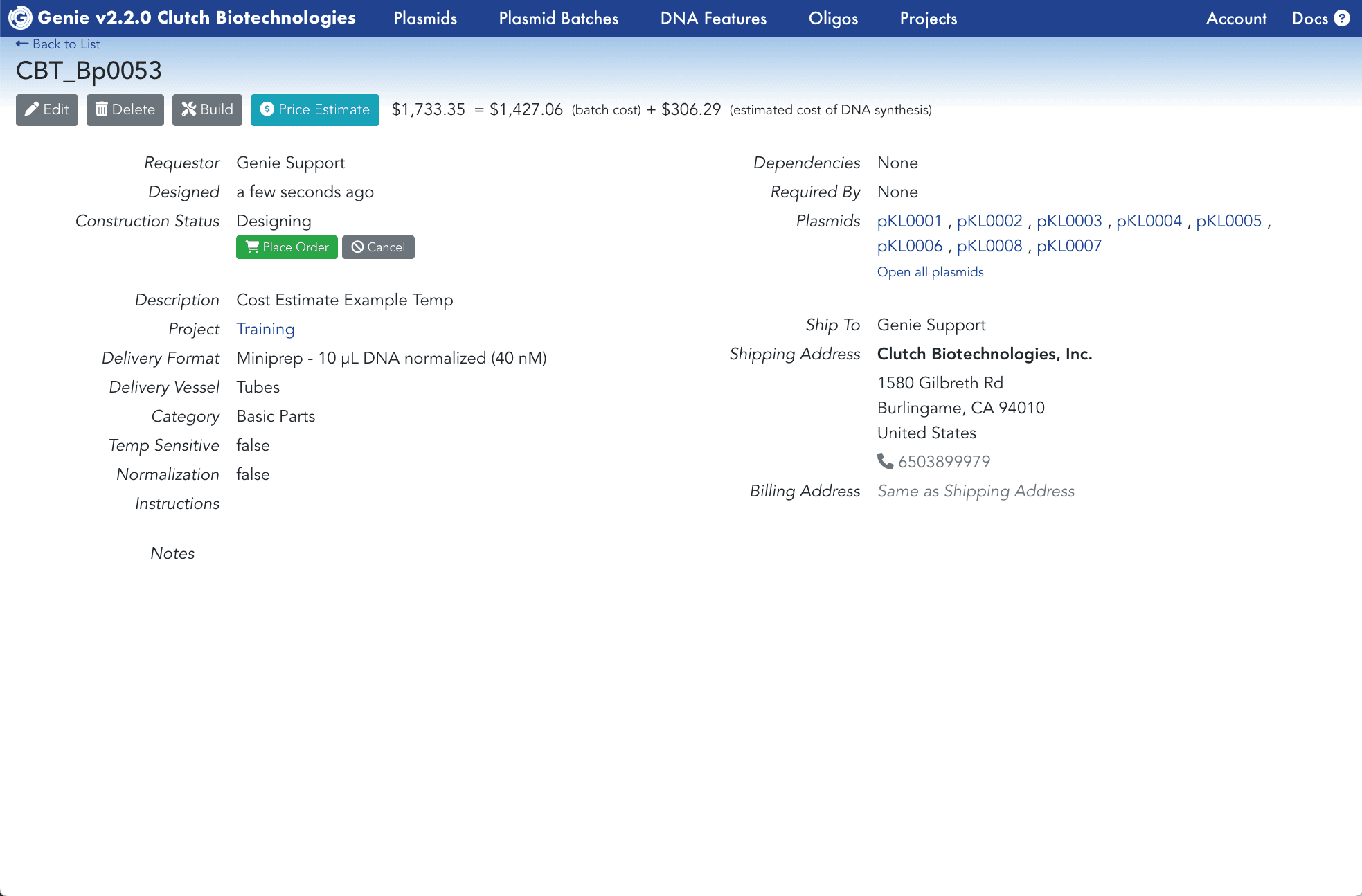
For any group of plasmids, use the Calculate Batch Price Estimate to get an immediate quote for cost of construction using ClutchBio.
Create projects to organize plasmid designs
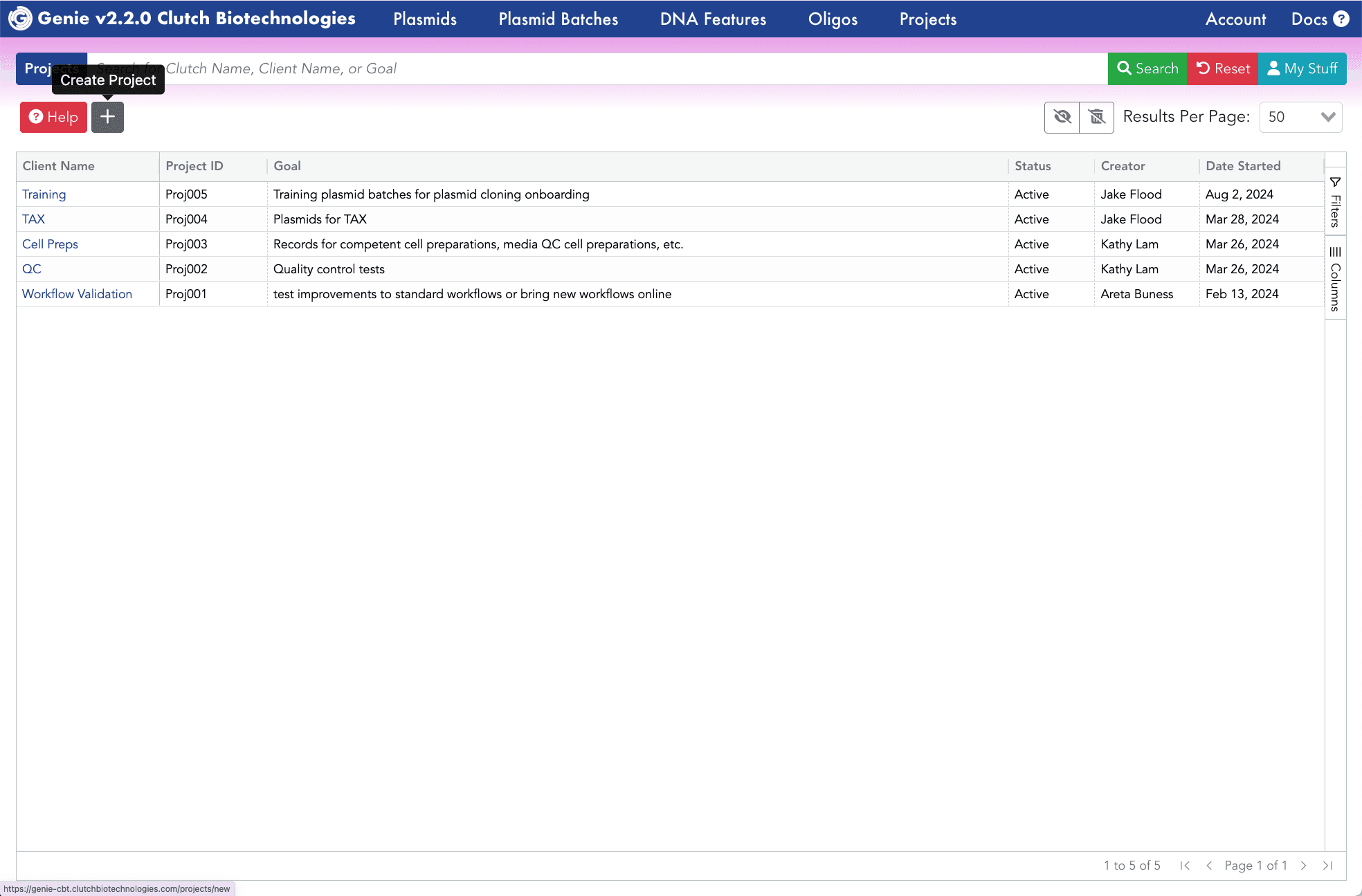
Use the Create New Project tool to add projects. These can be associated with your plasmids and plasmid batches to aid team organization and planning.
" height="442.434256035207px" id="dFXtU3R3e" width="443.61633342779714px"/><path d="M 166.54 0.055 C 136.962 0.785 108.083 9.2 82.743 24.473 C 13.264 66.319 -17.291 151.599 9.816 228.024 L 52.577 212.854 C 32.541 156.617 54.961 94.054 106.155 63.344 C 157.277 32.458 223.081 41.873 263.493 85.853 C 304.006 129.696 307.958 196.034 272.938 244.377 C 238.032 292.842 173.808 309.995 119.386 285.387 L 119.359 285.452 L 89.45 296.704 L 100.756 326.753 L 100.756 326.761 L 100.76 326.761 L 100.764 326.772 L 100.767 326.765 C 174.719 360.065 262.252 336.683 309.725 270.936 C 357.197 205.189 351.809 114.76 296.869 55.108 C 262.528 17.826 214.61 -1.159 166.54 0.055 Z" fill="rgb(7, 91, 119)" height="341.8220331666433px" id="Vt0mpPjcN" transform="translate(51 50)" width="342.0058175599081px"/><path d="M 122.278 0.025 C 106.73 -0.295 91.27 2.433 76.772 8.056 C 26.823 27.416 -4.353 77.868 0.495 131.303 C 5.338 184.734 45.097 228.728 97.715 238.703 C 150.338 248.681 203.402 222.239 227.325 174.238 L 186.716 154.005 C 171.72 184.095 138.998 200.343 106.174 194.123 C 73.346 187.895 48.723 160.735 45.683 127.204 C 42.643 93.673 61.991 62.448 93.167 50.371 C 124.346 38.287 159.424 48.341 179.573 75.198 L 179.6 75.176 L 211.309 79.755 L 215.903 47.959 L 192.081 65.81 L 215.865 47.97 C 193.238 17.812 158.357 0.766 122.281 0.025 Z" fill="rgb(15, 184, 240)" height="240.79287404166269px" id="FTigr6JGF" transform="translate(102 100.5)" width="227.3254808383765px"/></g></svg>)